Steps for adding custom stacked banners on dealer.com websites. This WIKI is created to help get this setup consistently and correctly for Baierl Subaru.
Login to the DDC editor, and load up Baierl Subaru. Go to /promotions/new/index.htm. From there you should see multiple slideshows (6 originally created, add more if needed).
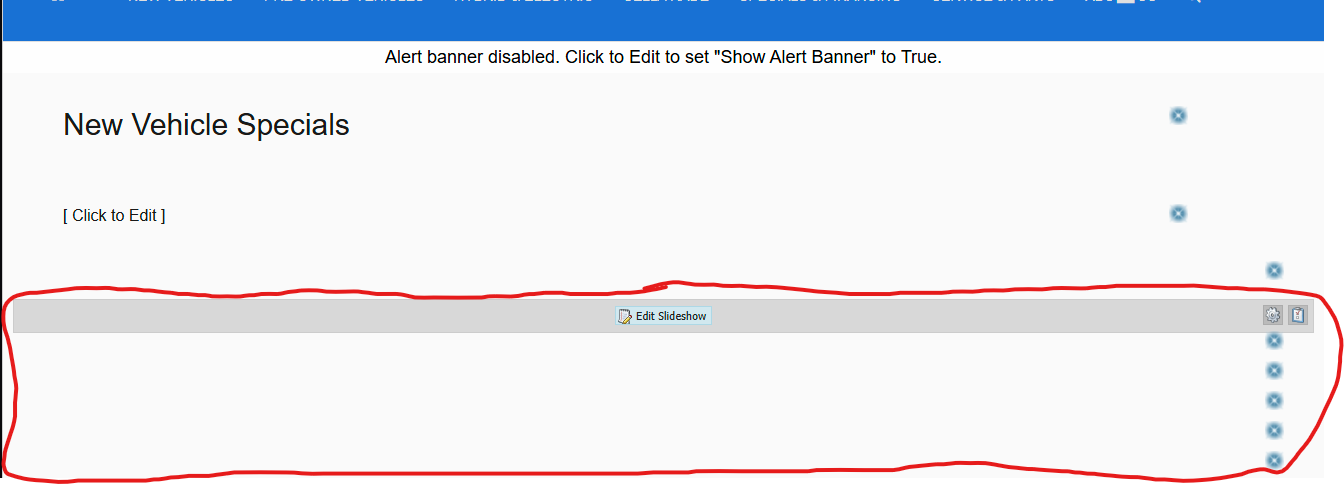
Be sure to add slides in the order provided in the instructions, as it's difficult to change once posted. (move the widgets if needed)
Add both a Desktop and a Mobile size for each slideshow. for this example, add both the desktop and mobile slide for the Impreza, make sure to pick the correct visibility (along with the rest of the section correctly filled out)
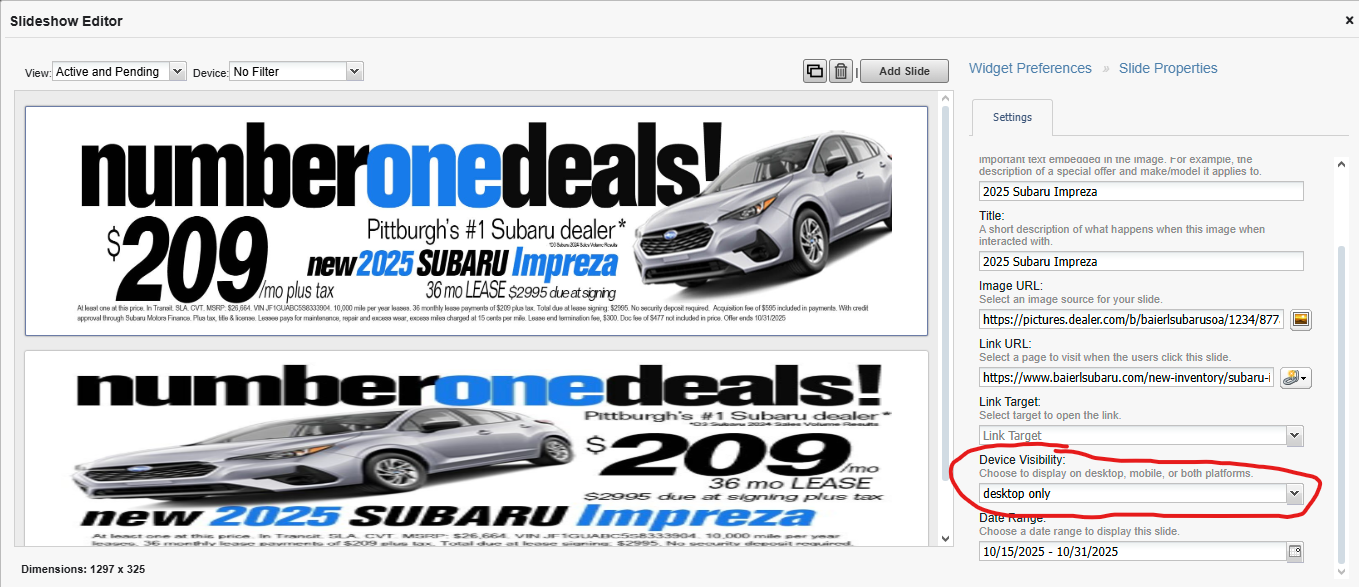
Once done, you should have stacked slides

Note: At the top, should be this slide: https://pictures.dealer.com/b/baierlsubarusoa/1234/f55e650d974340b9afee2de309dc7e50.png

Was this article helpful?
That’s Great!
Thank you for your feedback
Sorry! We couldn't be helpful
Thank you for your feedback
Feedback sent
We appreciate your effort and will try to fix the article